






How to Change the App Language in Radio FM?
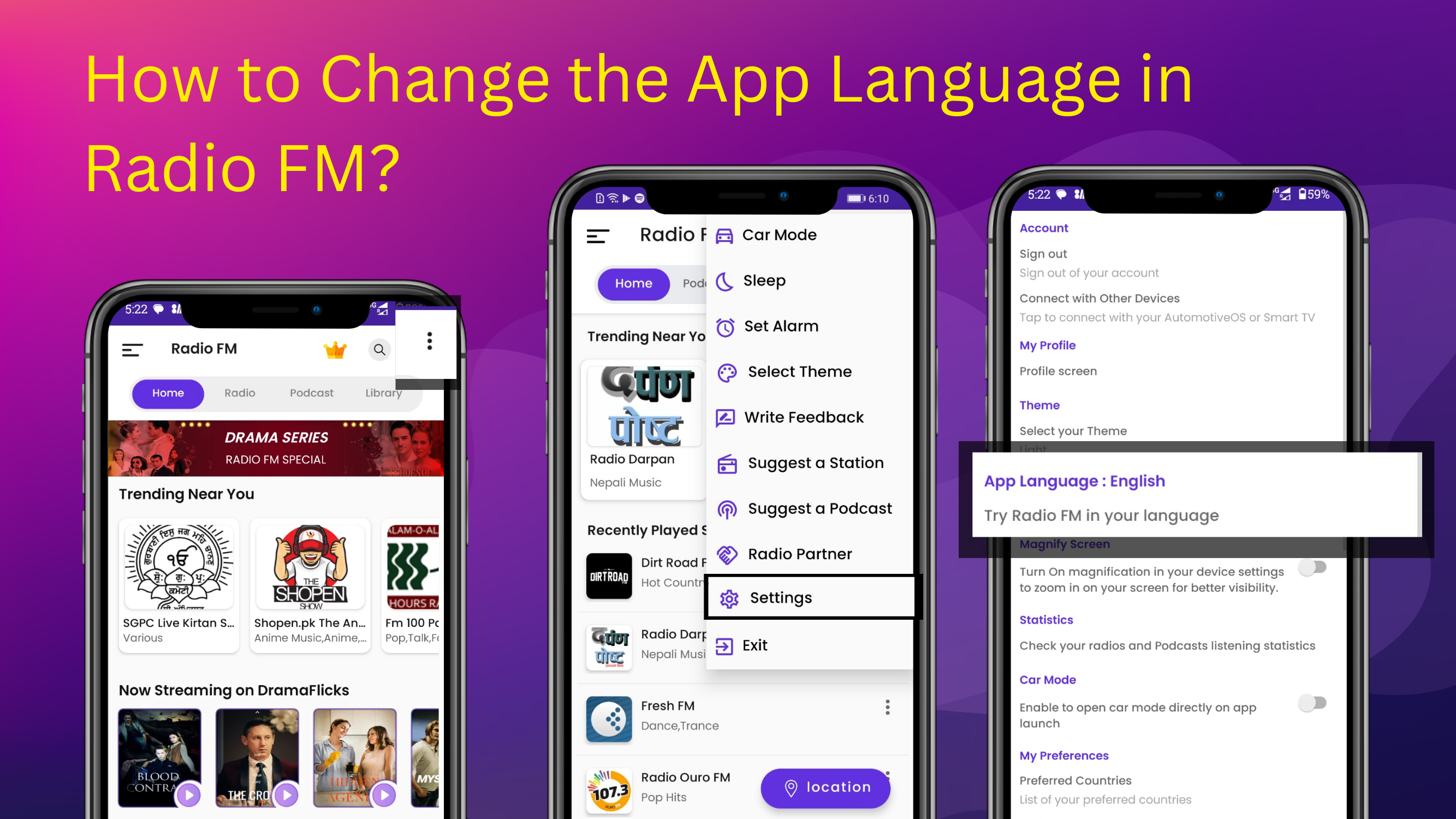
Radio FM lets you switch the app language easily to enjoy radio stations and podcasts in your preferred language — anywhere in the world.
To change the app language globally, follow these steps:
- Open the Radio FM App.
- Tap the three dots at the top corner of the app.
- Click on Settings.
- In Settings, select the App Language option.
Choose your preferred language — for example, English, Hindi, Spanish, French, or any local language in your country. The app interface will update immediately, letting you enjoy stations and podcasts from your region or worldwide.